Automate
testing.
Get back to
delivering.
For Workday Partners up to their necks in testing, we have built the first natively-AI testing platform for partners and everybody they deliver for.
Go beyond pre-built libraries into a new era of testing.
HappyPath speeds up an implementation process that enterprises currently slog through for weeks. We aim for two days.
No template that “almost” fits. Describe any business process and HappyPath proves it works. Even the ones no library ever covered.
Catch mismatches before they grow up into findings.
Consultants configure the tenant from BRDs, design documents and security requirements. That's where issues are born: a four-step approval where the requirement called for three, a security role that can't reach a required field, a validation rule the business didn't expect.
HappyPath compares requirements, test objectives and observed behavior, so Workday gets checked against the business requirement, not just whether a screen loads.
Against manual testing: these mismatches usually surface weeks later, mid-cycle. HappyPath flags them before testers ever queue up.
No building test scripts.
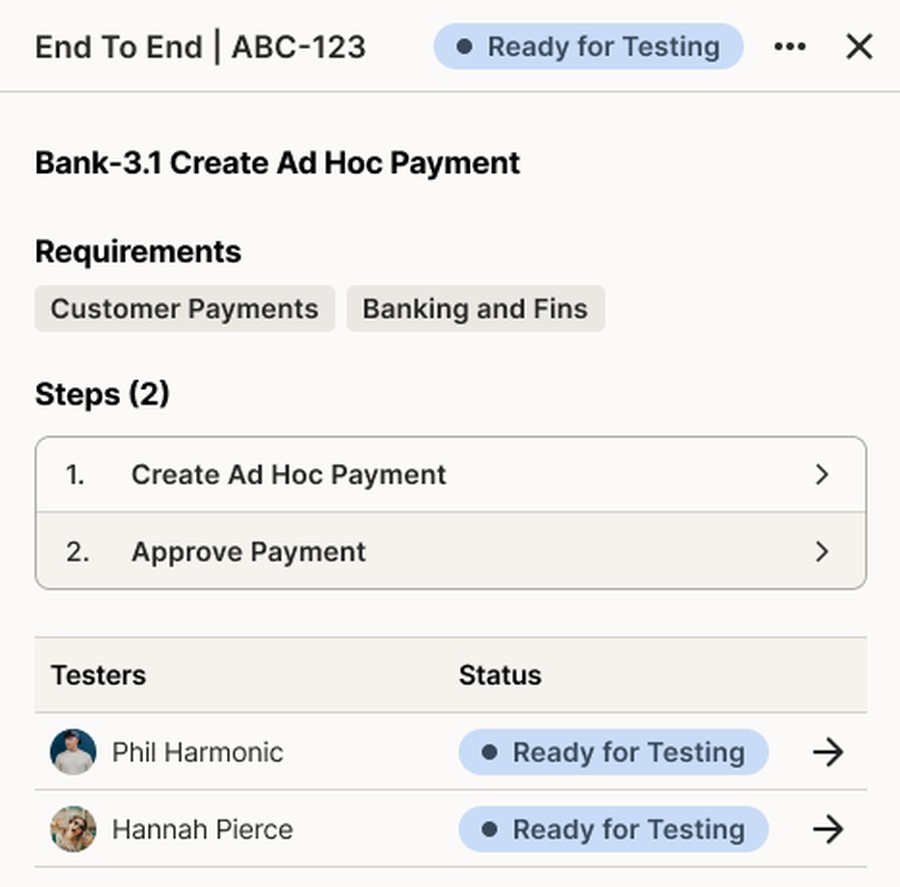
Describe a scenario using everyday language. HappyPath turns BRDs, process flows, spreadsheets and existing test scripts into easy to read scenarios, organized by project, business process, across any client.
No “test builders”, and no prebuilt template that almost matches your client's configuration.
Against legacy automation: there's no engineer translating workflows into selectors. Your functional leads read and manage the tests themselves.
Run it. Then, walk away.
AI agents navigate through Workday like a human tester: following the test objective, capturing evidence, and reporting the result. Run one test or thousands, scaling up and down as your business demands. For UAT, clients can be guided through manual execution instead of agentic testing, helping them learn the Workday process while HappyPath still captures evidence, results, and status.
If there's an error in-test, humans have multiple tools to fix it. Future tests take note, continuously enhancing automation resilience.
Against legacy automation: a failed run points at the workflow, the data or the configuration. Not at a broken selector.


No assembly of handover documentation.
Each run produces a visual record: what happened, why did it happen, who approved it. Export test artifacts, reconciliation reports, and job-aid style documentation your clients keep.
When sign-off comes, the evidence package already exists.
Against manual testing: no screenshot folders, no spreadsheet archaeology the week before go-live.
Put your testing to the test.
| HappyPath | the unhappy path |
|---|---|
| Automatically validate configuration through native reporting | Mining the entire configuration of the customer tenant over several days |
| AI-powered test generation from discovery documentation | Manually configure all the tests that are not in their “test library” |
| Prompt it with everyday language | Requires engineer techno-speak and coding |
| Designed for the variance of Consulting Engagement workflows | Designed to maintain a static test library |
| Real-time visual feedback with clear progress indicators | Guesswork dressed up as a green checkmark. |
| No brittle selectors to break. It reads the workflow, not the screen. | “Automatic” self-healing to platform UI changes |
*Results depend on project scope, test types and engagement structure. Your savings may vary.